ZXing 是来自 Google 的条形码处理类库,本文演示如何在 Java 程序中使用 ZXing 生成和解析条形码,并根据 JavaDocs 对部分接口和类进行说明。
ZXing 是什么

ZXing (“Zebra Crossing”) 是一个开源并支持多种格式的一维/二维条形码图像处理类库,基于 Java 实现。
ZXing 支持的格式:
| 1D product | 1D industrial | 2D |
|---|---|---|
| UPC-A | Code 39 | QR Code |
| UPC-E | Code 93 | Data Matrix |
| EAN-8 | Code 128 | Aztec (beta) |
| EAN-13 | Codabar | PDF 417 (beta) |
| ITF | ||
| RSS-14 | ||
| RSS-Expanded |
ZXing 包含的模块有:core, javase, android, androidtest, android-integration, android-core, glass, zxingorg, zxing.appspot.com 。本文只用到 core 和 javase 。
获取 ZXing 的 JAR 文件,请参考:https://github.com/zxing/zxing/wiki/Getting-Started-Developing
ZXing 文档:https://zxing.github.io/zxing/apidocs/
ZXing 生成 QR Code
示例代码
public class CreateQRCode {
    public static void main(String[] args) {
        //定义图像的尺寸
        int width = 300;
        int height = 300;

        //定义图像的格式
        String format = "png";

        //定义二维码要编码的内容,在这里是访问本博客的 URL
        String contents = "https://guo-long.github.io/";

        // 提供给编码器的额外参数,传递给 Writer 并指定其行为
        HashMap<EncodeHintType, Object> hints = new HashMap<EncodeHintType, Object>();
        hints.put(EncodeHintType.CHARACTER_SET, "utf-8"); //指定字符集
        hints.put(EncodeHintType.ERROR_CORRECTION, ErrorCorrectionLevel.M); //指定纠错等级
        hints.put(EncodeHintType.MARGIN, 2); //指定二维码边距

        try {
            BitMatrix bitMatrix = new MultiFormatWriter().encode(contents, BarcodeFormat.QR_CODE, width, height, hints);
            Path path = Paths.get("/path/will.png");
            MatrixToImageWriter.writeToPath(bitMatrix, format, path);
        } catch (Exception e) {
            e.printStackTrace();
        }
    }
}
执行的结果如下,扫描即可访问本博客。
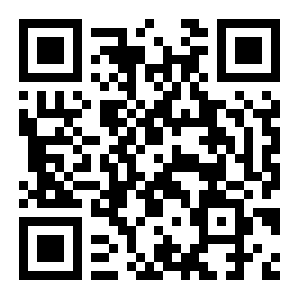
除了定义所需的参数外,生成条形码的代码只需要调用 MultiFormatWriter 的 encode 方法。
MultiFormatWriter
com.google.zxing.MultiFormatWriter 是一个工厂类,根据 com.google.zxing.BarcodeFormat 寻找合适的 com.google.zxing.Writer 接口实现类,并对提供的内容编码到条形码中。
encode 方法的定义如下:
public BitMatrix encode(String contents,
                        BarcodeFormat format,
                        int width,
                        int height,
                        Map<EncodeHintType,?> hints)
throws WriterException参数:
contents - 需要在条形码中编码的内容
format - 所生成条形码的格式,BarcodeFormat 是一个枚举类型,通过其定义的常量指定 format
width - 条形码的宽度,单位像素
height - 条形码的高度,单位像素
hints - 提供给编码器的额外参数,传递给 com.google.zxing.Writer 并指定其行为
返回值:
com.google.zxing.common.BitMatrix - 表示已编码的条形码图像
异常:
WriterException - 如果无法合法地以指定格式进行编码则抛出异常
encode 还有一个不带 hints 参数的重载方法,将会使用默认的 hints:
public BitMatrix encode(String contents,
                        BarcodeFormat format,
                        int width,
                        int height)
                 throws WriterException
对参数 hints 的说明:
hints 的类型是一个 Map,需要说明的是其 key 的类型是 com.google.zxing.EncodeHintType(枚举类型)。
EncodeHintType.CHARACTER_SET - 对应的 value 指定具体的字符集,例如 utf-8
EncodeHintType.ERROR_CORRECTION - 指定纠错等级,对应的 value 由枚举类型 ErrorCorrectionLevel 指定
L = ~7% correction
M = ~15% correction
Q = ~25% correction
H = ~30% correction
MatrixToImageWriter
MatrixToImageWriter 类的 writeToPath 方法则是将代表已编码的条形码图像按给定格式写出到指定 Path 。
使用 ZXing 识读 QR Code
示例代码
public class ReadQRCode {
    public static void main(String[] args) {
        try{
            File file = new File("/path/yglwy.png");
            BufferedImage image = ImageIO.read(file);
            BinaryBitmap binaryBitmap = new BinaryBitmap(new HybridBinarizer(new BufferedImageLuminanceSource(image)));

            HashMap<DecodeHintType, Object> hints = new HashMap<DecodeHintType, Object>();
            hints.put(DecodeHintType.CHARACTER_SET, "utf-8");

            Result result = new MultiFormatReader().decode(binaryBitmap, hints);

            System.out.println(result.toString());
            System.out.println(result.getBarcodeFormat());
            System.out.println(result.getText());
        }catch(Exception e){
            e.printStackTrace();
        }

    }

}
执行结果如下:
http://yangguolong.com
QR_CODE
http://yangguolong.com
MultiFormatReader
public final class MultiFormatReader extends Object implements Reader
MultiFormatReader 是类库中使用最多的主入口类,其默认行为是尝试对类库支持的所有条形码格式进行解码。当然也可以根据需要提供 hints 参数以请求不同的行为,例如只解析 QR Code 。
下面类的说明就照搬 ZXing javadoc 了,感觉看英文更准确。
public Result decode(BinaryBitmap image,
                     Map<DecodeHintType,?> hints)
              throws NotFoundException
Decode an image using the hints provided. Does not honor existing state.
Specified by:
decode in interface Reader
Parameters:
image - The pixel data to decode
hints - The hints to use, clearing the previous state.
Returns:
The contents of the image
Throws:
NotFoundException - Any errors which occurred
BinaryBitmap
public final class BinaryBitmap extends Object
This class is the core bitmap class used by ZXing to represent 1 bit data. Reader objects accept a BinaryBitmap and attempt to decode it.
需要通过构造方法将 BufferedImage 层层转换为一个 BinaryBitmap:
BufferedImage -> BufferedImageLuminanceSource -> HybridBinarizer ->BinaryBitmap
然后与 hints 参数一起传递给 MultiFormatReader 的 decode 方法。
Result
用于封装在图像中的条形码的解析结果,可以通过该类定义的方法获取解析条形码的信息。例如,通过 getText() 获取在条形码中被编码的原生文本内容,通过 getBarcodeFormat() 获取被解码的条形码的格式。